Your AI keeps it current while you build
The plan that keeps itself up to date.
Rimila is a calm project app for people who build with AI. Claude Code, Codex, Cursor or Antigravity writes the roadmap, ticks off tasks as it works and leaves you a note on where things stand.
Free for 7 days, then pay once. Mac and Windows.
Works with the AI you already use
- Claude Code
- Codex
- Cursor
- Antigravity
Task lists go stale. This one keeps up.
You set up a plan, it looks great, then a busy week happens. The list stops matching reality and you stop opening it. Rimila is updated by the AI doing the work, so it stays true without you lifting a finger.
Rimila
CurrentWork actually finished: 0 of 8 tasks
One calm place for every project.
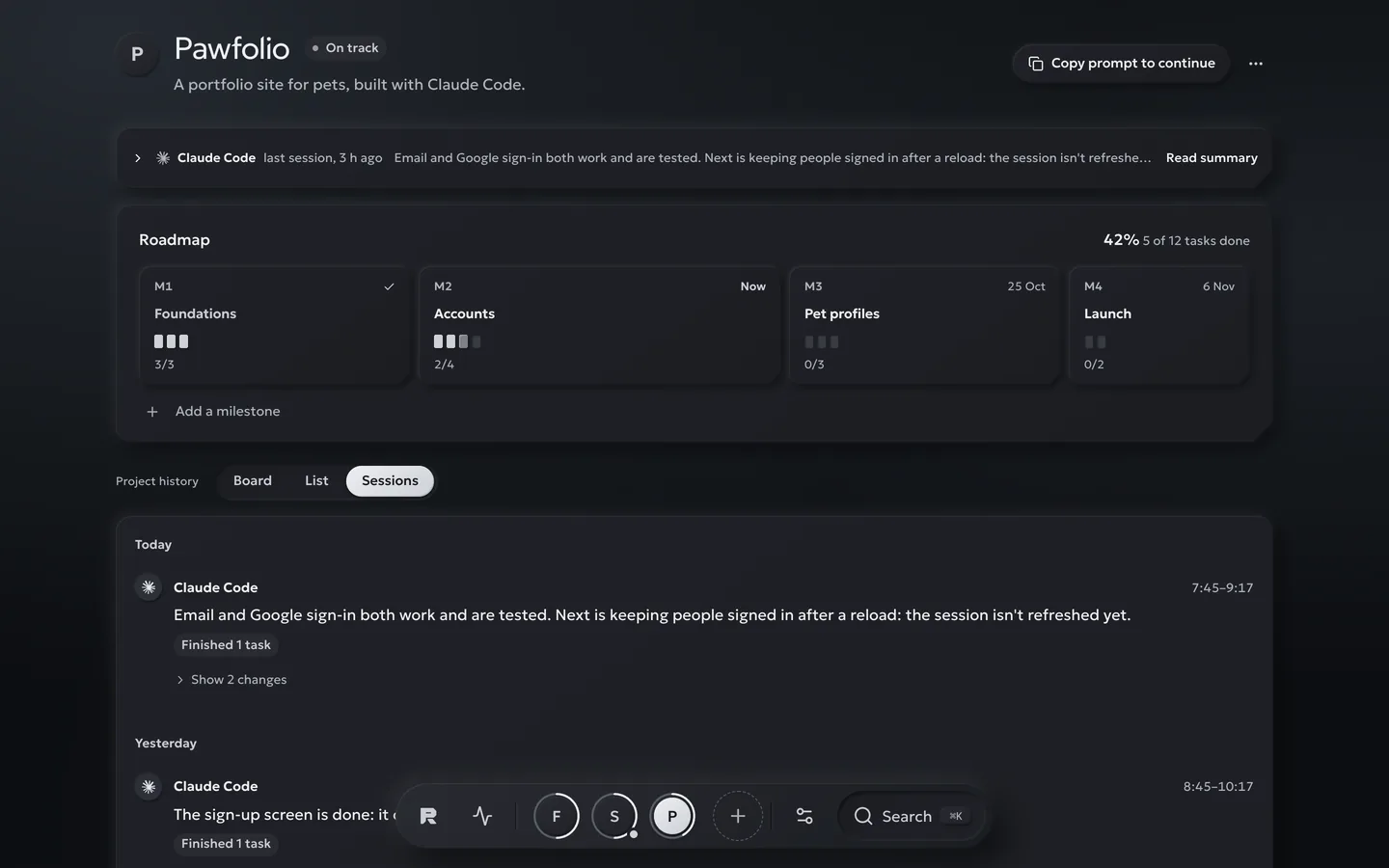
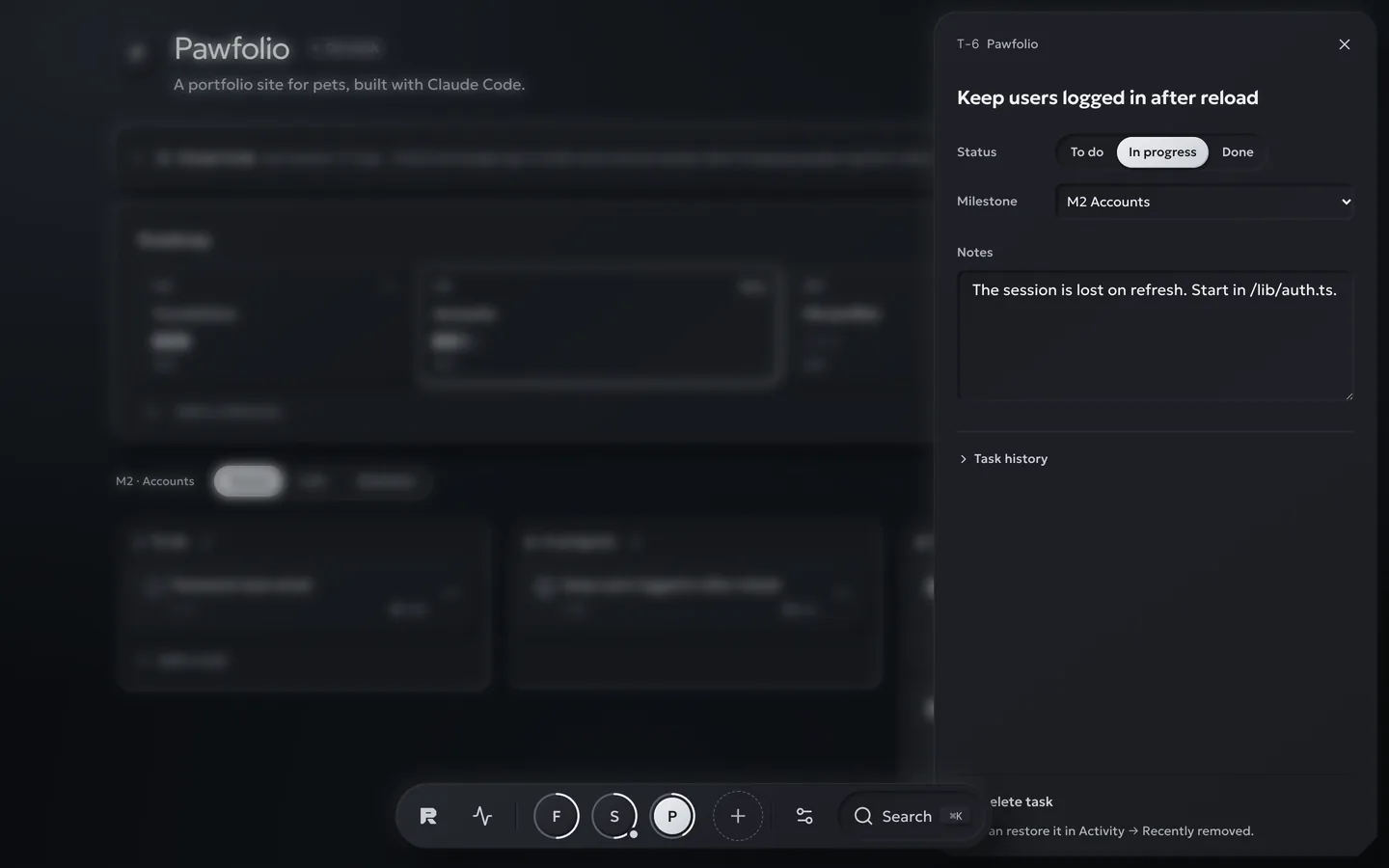
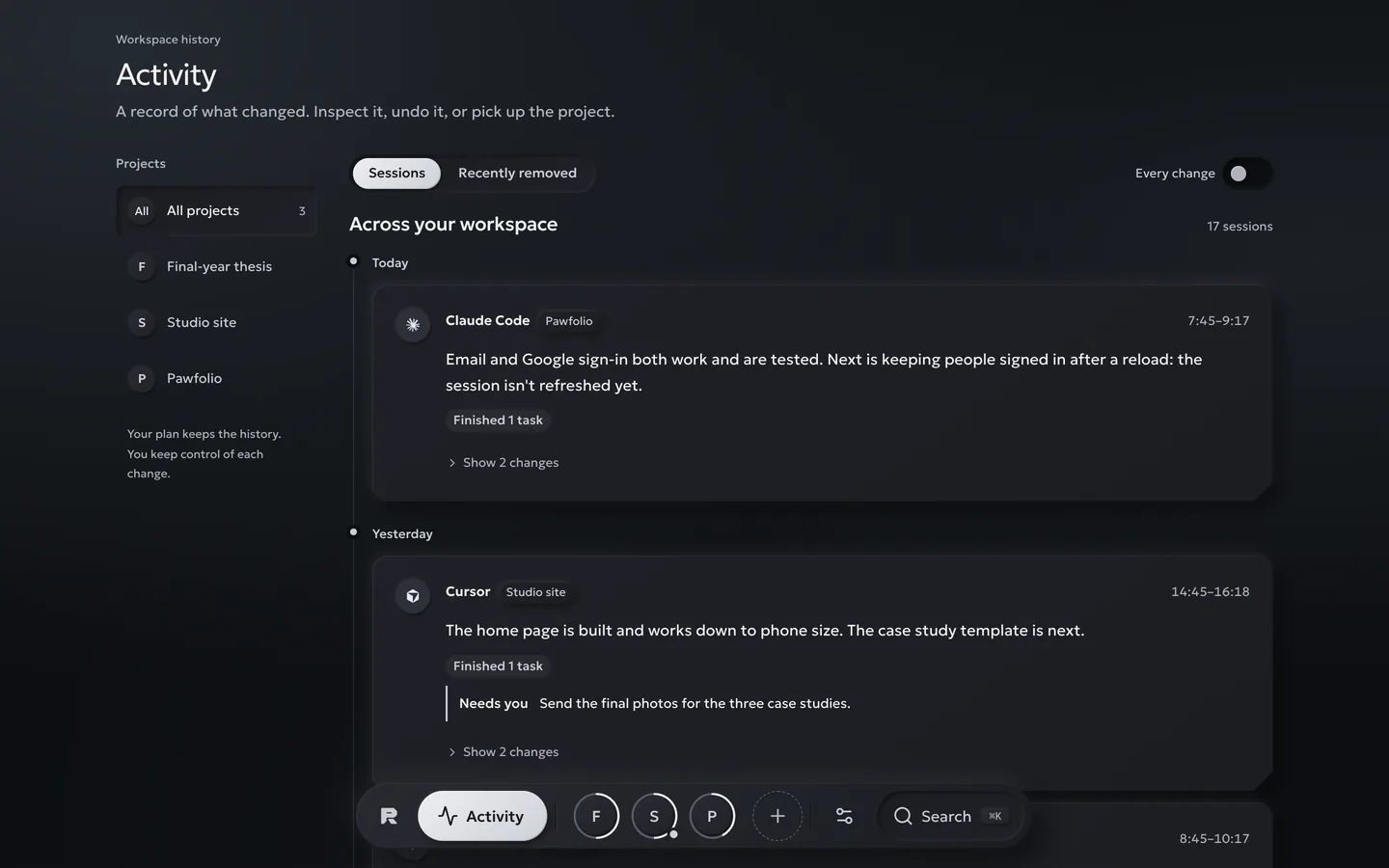
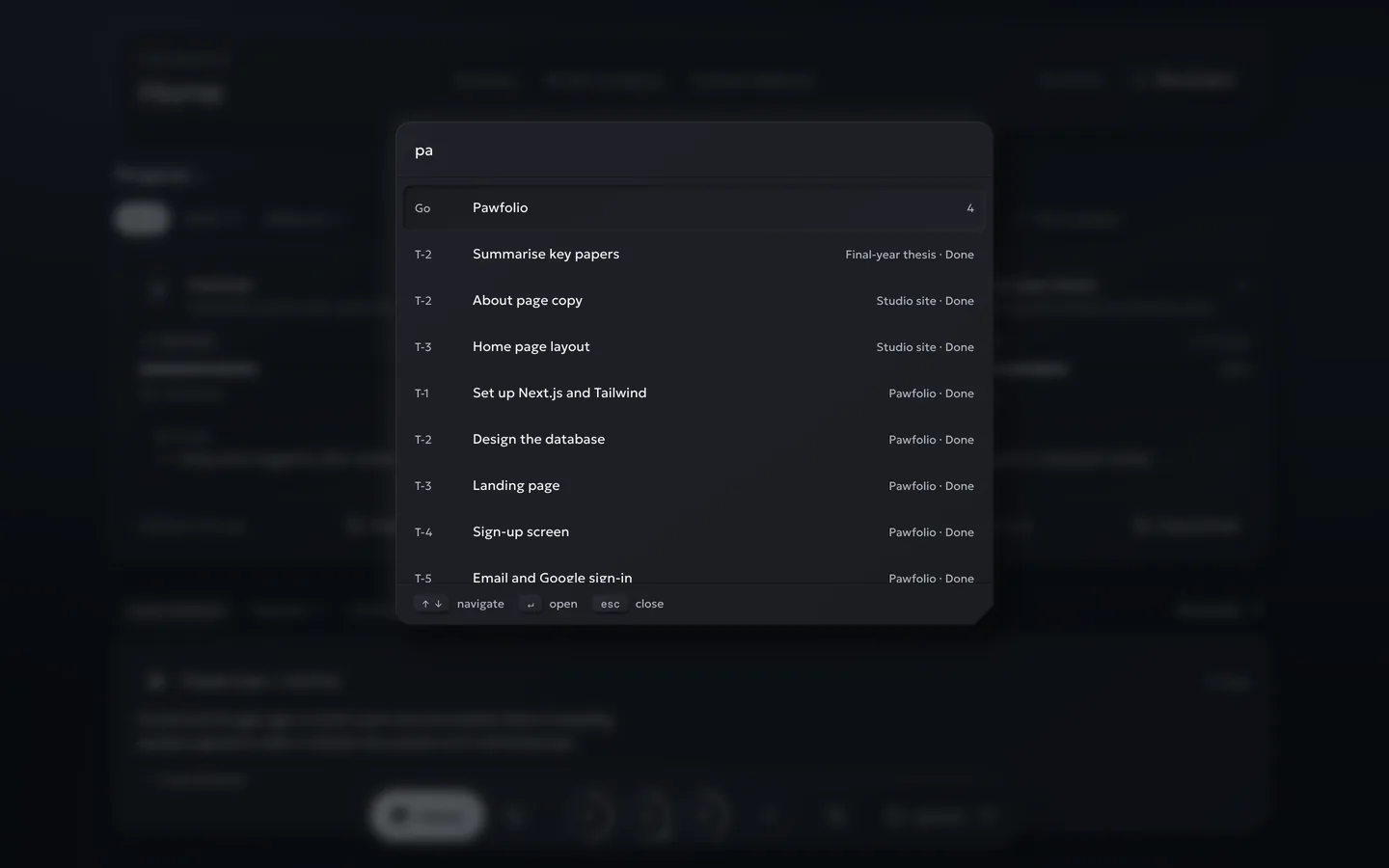
Beyond the board: every session summed up, every task’s history, every change and one search box. Real screens from the app, with example projects.
Set it up once. Then just build.
Rimila sits beside the AI you already use. It doesn’t write code or chat with you. It keeps the plan.
-
Connect your AI
One switch in Settings connects Claude Code, Codex, Cursor or Antigravity. Restart it once and it knows where your plan lives.
-
Ask for a roadmap
Say “make a roadmap for this”. Milestones and tasks appear in Rimila, ready for you to rename, reorder or delete.
-
Keep building
As your AI works, it marks tasks as started and done, and adds what it discovers. If it forgets, Rimila gives it one gentle nudge.
-
Come back to a handover
Open Rimila and read what happened while you were away, what’s next and anything that needs you. Copy one prompt to pick up exactly where you left off.
Settings › AI tools
AI tools
Connect once. Your AI reads the plan before it works and saves a short update when it finishes.
- Claude CodeAnthropic · Terminal, VS Code and desktopConnected. Restart it once
- CodexOpenAI · Terminal, editor and appConnected. Restart it once
- CursorAnysphere · EditorConnected. Restart it once
- AntigravityGoogle · Editor and terminalConnected. Restart it once
“Make a roadmap for this”
Roadmap
42% 5 of 12 tasks done
M1 ✓Foundations3/3
M2 NowAccounts2/4
M3 Oct 20Pet profiles0/3
M4 Nov 1Launch0/2
+ Add a milestone
Written by Claude Code. Rename, reorder or delete anything.
Pawfolio › M2 · Accounts › Board
To do 1
In progress 1
Done 2
Home › Latest handover
Email and Google sign-in both work and are tested. Next is keeping people signed in after a reload: the session isn’t refreshed yet.
- Email and Google sign-in T-5
Needs youPick the three photos for the home page.
Tell it what you’re building.
See a session from your AI’s side: it plans, works and leaves a note. A sample, simulated right here. Nothing leaves this page.
P
Idle
Pet portfolio site
Waiting for a plan
Want this for your real project?
Connect your AI once and the plan keeps itself current. Free for 7 days.
Your AI does the busywork. You make the calls.
Every change shows who made it and when. Undo anything with one click, or edit the plan yourself. Nothing your AI does is hidden.
Activity Try undo
Up next
In progress
Done
It lives on your computer. Not in someone’s cloud.
No account to make and nothing to sign in to. Your plans are kept on your machine, with daily recovery points and backups you can save anywhere.
Wi-Fi on
Turn it off. Rimila won’t notice.
- Open your projectsWorks
- Tick, edit and reorder tasksWorks
- Read past handoversWorks
- Export a backupWorks
Rimila never needs the internet. Your AI tool might, for its own work.
Good work deserves a way back
Seven daily recovery points, kept automatically while Rimila is open. Pick one to see what it holds.
Pick a day.
Pet portfolio site.planbundleProjects, tasks and full history. Save it to another drive.
Pay once. Keep it.
Rimila is a one-time purchase for the desktop app. Try it free for seven days, then buy once for permanent local use on two computers. No account or recurring local-use charge.
A typical subscription app 24 payments
Rimila 1 payment
Rimila for desktop Coming soon
$15 USD, once
Tax included. Two computers, in any Mac/Windows combination.
- Projects, milestones and tasks your AI keeps current
- Session handovers and “needs you” requests
- Full history with undo
- Daily recovery points and portable backups
- No account needed. Works offline
Try it free for 7 days before you pay.
Sync between computers is planned for later, as an optional subscription with a big discount for people who bought the app.
Questions, answered.
The short version. Read every answer
Is Rimila another AI coding tool?
No. You keep building with Claude Code, Codex, Cursor or Antigravity. Rimila is the project app beside it, holding your roadmap, progress and handovers.
Do I have to update it myself?
You don’t have to. Your connected AI creates the roadmap, marks tasks as it works and saves a summary when it hands back. You can still add, edit and move anything yourself.
Is it a subscription?
No. The desktop app is a one-time purchase. Sync between computers is planned for later as an optional subscription, discounted for people who bought the app.
Can I try it before I buy?
Yes. Rimila is free for seven days on your computer. After that, buy once to keep using it. Nothing renews.
Does my project leave my computer?
Rimila keeps your plans on your computer. Your connected AI can read and update them, and its provider handles that context under its own settings and policies.
When can I get it?
Rimila is in local beta. Signed Mac and Windows downloads will open on the download page once release checks are finished.
Close the laptop. Your plan will still know what happened.
Spend your evenings building, not updating a task list.
Get RimilaFor Mac and Windows. Pay once. No account needed.